
The right healthcare CRM depends on one question: do you need to manage patients, or manage the pipeline before they become patients? Practice management systems handle the former. Marketing-oriented CRMs handle the latter. Most practices lose money in the gap between them.
Rather than rank vendors — pricing and features change constantly, and no ranking survives contact with your actual requirements — this guide explains the categories, the non-negotiable requirements, and how to evaluate any option honestly.
What Does a Healthcare CRM Actually Do?
A CRM in a practice context should do four things a practice management system generally doesn’t:
- Capture every inquiry in one place. Web forms, phone calls, chat, and directory inquiries landing in a single queue rather than three inboxes and a notepad.
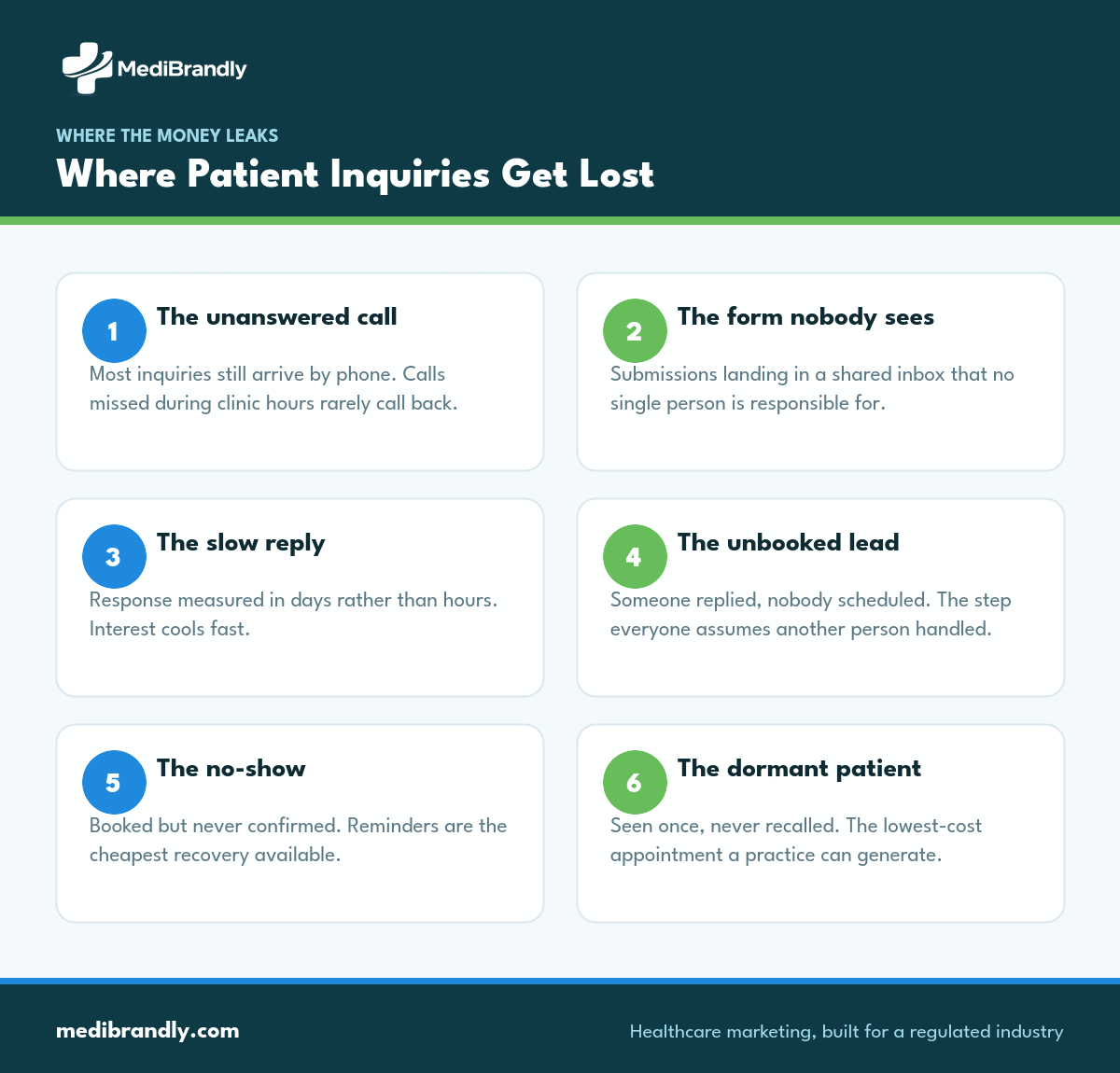
- Route and follow up automatically. Instant acknowledgment, task assignment, and reminders when nobody has responded — the fix for the follow-up leak that quietly wastes marketing budget.
- Run recall and reactivation. Automated campaigns to bring back dormant patients, the cheapest acquisition channel any practice has.
- Attribute revenue to source. Connect a booked, attended appointment back to the marketing channel that produced it — without exposing patient data to advertising platforms.
If a system does not do these four, it is a database rather than a growth tool.
Not sure which category you need? Book a CRM selection and setup consult — we’ll map your intake process, find where inquiries are leaking, and recommend a fit for your size and specialty.
The Four Categories (and Who Each Suits)
| Category | What It Is | Strengths | Watch Out For |
|---|---|---|---|
| Practice management / EHR-native modules | Marketing features inside your existing clinical system | Already holds patient data; no new vendor | Usually weak at pre-patient pipeline, campaigns and attribution |
| Healthcare-specific CRMs | Built for practices; patient lifecycle by design | Recall, referral tracking and BAAs are standard | Smaller ecosystems; integration range varies |
| General CRMs with a BAA | Mainstream platforms that will sign a BAA on qualifying plans | Powerful automation, large integration ecosystem | BAA often only on higher tiers; healthcare workflows must be built |
| All-in-one practice growth platforms | Bundled CRM, scheduling, reviews and messaging | Fast to deploy, one vendor, one bill | Less flexible; migration difficulty if you outgrow it |
Choose the category first. Comparing individual products across categories is how evaluations stall for months.
The Non-Negotiable Requirements
Whatever you shortlist, these are pass/fail:
A signed BAA. If the system stores or transmits patient information, it is a business associate. Many mainstream CRMs will sign one — frequently only on specific plans. Confirm the tier before pricing anything.
Role-based access and audit logging. Who can see patient information, and a record of who viewed what.
Secure intake. Form submissions arriving in plain-text email defeat the rest of the system entirely. This is the most common failure we find in practice stacks.
Compliant attribution. Conversion data flowing to ad platforms must not carry patient identifiers. This is the constraint explained in our HIPAA marketing rules guide, and it’s what separates a CRM you can actually measure with from one that quietly creates exposure.
Data export. You must be able to leave with your data in a usable format. Ask before signing, not at renewal.
How to Evaluate Options Without Wasting Months
A structured evaluation takes about three weeks:
- Write down your intake reality first. How inquiries arrive today, who touches them, and where they currently fall through. Tools cannot fix a process nobody has mapped.
- Separate must-have from nice-to-have. Most practices need capture, routing, recall and reporting. Feature lists beyond that are mostly noise.
- Confirm BAA availability and tier before you look at pricing pages.
- Demo with your own scenario. Ask each vendor to walk through your actual intake flow, not their standard demo.
- Check the integrations you truly need — scheduling, phone system, EHR. Verify with the vendor rather than trusting a logo grid.
- Ask about implementation support and timeline, and who does the configuration work.
The Integrations That Actually Matter
Integration lists are long and mostly irrelevant. Four connections determine whether a healthcare CRM earns its cost:
Your phone system. Most patient inquiries still arrive by call. A CRM that cannot log calls, record outcomes and attribute them to a source is blind to the majority of your pipeline. This is the single most-skipped integration and the most expensive to skip.
Your scheduling system. Without it, the CRM can tell you someone inquired but never whether they booked or attended. That gap is the difference between counting leads and measuring revenue.
Your website forms. Submissions should flow directly into the CRM through a secure connection, not via a forwarded email that someone re-types.
Your ad platforms — carefully. Conversion signals should flow back so bidding can optimize on real outcomes, with identifiers stripped before anything leaves your infrastructure.
An EHR integration is genuinely useful but rarely essential for marketing purposes, and it’s usually the most expensive and slowest to build. Sequence it last unless clinical workflow depends on it.
What Changes at Multi-Location Scale
Single-location requirements and group requirements diverge sharply, and buying the wrong one is costly in both directions.
A single practice needs capture, follow-up, recall and simple reporting. Sophistication beyond that mostly adds configuration burden nobody has time to maintain.
A group or DSO needs three things a single-site tool typically lacks: per-location reporting so regional managers can act on their own numbers, routing rules that send an inquiry to the right site rather than a shared queue, and permission structures so one location cannot see another’s patient data. Add central governance so campaigns and messaging stay consistent across sites.
The common failure is a group deploying a single-location tool and discovering at month six that it cannot report by location — which means nobody can tell which sites are underperforming or why.
Why CRM Implementations Fail
The software is rarely the problem. Four failure modes account for most of it:
Nobody owns it. A CRM without a named internal owner becomes an expensive contact list within a quarter.
The process was never defined. Automating an undefined intake process produces automated chaos. Map first, configure second.
Staff weren’t trained. Front desk teams revert to whatever worked before if the new system is slower for them. Adoption is a training problem long before it’s a software problem.
It was never connected to marketing. A CRM disconnected from your campaigns can’t attribute anything, which means nobody can prove it’s working — and unproven systems get canceled at renewal.
Already have a CRM that nobody uses? That’s usually a configuration and process problem, not a licensing one. We’ll audit the setup and get it earning its keep. Book a free consultation →
What Should a Healthcare CRM Cost?
Expect $50–$300 per user per month for most practice-scale systems, with enterprise and multi-location platforms running higher. Budget separately for implementation — configuration, integration and training typically runs $1,000–$4,000 up front, and skipping it is the most reliable way to waste the subscription.
The return usually comes from two places rather than new demand. Recovered inquiries, because instant follow-up converts leads that previously went cold. And reactivated patients, because recall campaigns run automatically instead of when somebody remembers. For most practices those two together justify the cost well before any new-patient marketing is considered — which is why we treat CRM and marketing automation as infrastructure rather than an optional layer, and why it sits inside the marketing budget benchmarks by specialty rather than beside them.
Email sequences are usually the first automation to build on top; our email and automation service covers the compliant patterns for recall and reactivation.
Questions Worth Asking Every Vendor
Demos are designed to impress. These six questions tend to surface what a demo won’t:
- “Will you sign a BAA on the plan we’re quoting?” Not on any plan — on this one, in writing.
- “Show me the report that connects a booked appointment to its marketing source.” If it takes a custom build or an export to a spreadsheet, attribution is not really included.
- “What happens on day one if we cancel?” Ask specifically what data you can export, in what format, and how long access lasts.
- “Who configures it, and is that included?” Implementation sold separately is normal; discovering it late is not.
- “What does your typical practice fail to use?” A candid vendor will tell you which features go unused, which tells you what you’re really buying.
- “Can we talk to a practice our size in our specialty?” A single-site clinic and a twelve-location group have very different experiences of the same product.
Write the answers down. Three weeks later, in a comparison spreadsheet, memory of who promised what is unreliable.
Frequently Asked Questions
What is the best CRM for a medical practice?
There is no single best option — it depends on whether you need pre-patient pipeline management, patient lifecycle automation, or both. Decide the category first, confirm BAA availability, then compare two or three products inside that category against your own intake process.
Does a healthcare CRM need to be HIPAA-compliant?
If it stores or transmits patient information, yes — the vendor is a business associate and must sign a BAA. Many mainstream CRMs offer this only on specific plan tiers, so confirm before comparing prices.
How much does a healthcare CRM cost?
Most practice-scale systems run $50–$300 per user per month, plus $1,000–$4,000 for implementation, configuration and training. Enterprise and multi-location platforms cost more.
Can I use a general CRM instead of a healthcare-specific one?
Yes, provided the vendor signs a BAA on your plan and you build the healthcare workflows yourself. General CRMs offer stronger automation and integrations; healthcare-specific ones arrive with recall and referral tracking already built.
What’s the difference between a CRM and practice management software?
Practice management handles patients you already have: scheduling, clinical records and billing. A CRM handles the pipeline before and around that — inquiries, follow-up, recall and attribution. Most practices need both, and most revenue leaks between them.
How long does a healthcare CRM implementation take?
A straightforward setup takes two to six weeks. Complex integrations with EHR or phone systems extend that to two or three months. The bottleneck is almost always process definition and staff training rather than the software itself.
Get the Right System, Configured Properly
Most practices don’t need a better CRM — they need the one they have connected to their intake process, their marketing, and their reporting.
We’ll map how inquiries actually reach you today, show you where they’re being lost, and recommend a system and configuration that fits your size and specialty. If your current tool can do the job, we’ll tell you that instead.
Book your CRM selection and setup consult → or email info@medibrandly.com. You can also explore CRM and marketing automation or see results in our case studies.