
Your Google Business Profile is the most valuable piece of digital real estate a local practice owns — it decides whether you appear in the map pack and often forms a patient’s first impression before they ever reach your website. A complete, accurate, actively-maintained profile is the single highest-return local SEO task there is.
Most practices claim the profile, fill in the basics, and never touch it again. This checklist covers the fifteen things that actually move visibility and bookings, plus the mistakes that get profiles suspended.
What Makes a Google Business Profile Rank?
A profile ranks on completeness, category accuracy, and ongoing activity. Google favors profiles that are fully filled out, correctly categorized, and regularly updated with posts, photos and review responses — because those signal a real, operating practice patients can rely on.
Think of it in three layers: get everything filled in (completeness), describe yourself precisely (categories and services), and keep it alive (posts, photos, reviews, Q&A). Skipping the third layer is why so many well-set-up profiles quietly fade.
| Layer | What it covers | If you skip it |
|---|---|---|
| Completeness | Every field filled — name, address, phone, hours, services, providers | Google reads the listing as inactive and you struggle to enter the map pack |
| Precision | Correct primary category and patient-searched service terms | You rank for the wrong searches, or none |
| Activity | Posts, fresh photos, review responses, seeded Q&A | The profile fades as fresher competitors overtake it |
Want a second set of eyes on your profile? Request a free Google Business Profile audit — we’ll score every section against Google’s guidelines and hand you a prioritized fix list, including anything that risks a suspension.
The 15-Step Google Business Profile Checklist
Work through these in order. The first eight are foundation; the rest are the ongoing habits that separate a ranking profile from a dormant one.
- Claim and verify the profile, and confirm the practice — not a past agency — owns and controls it.
- Set the correct primary category. This is the most important single field. Match it to your core specialty exactly; “Dermatologist” and “Skin care clinic” reach different searches.
- Add relevant secondary categories for every other service line you offer.
- Enter a complete, accurate NAP — practice name exactly as it appears elsewhere, full address, local phone number.
- Set precise hours, including holiday hours. Inaccurate hours erode trust fast and Google flags conflicting information.
- Write a genuine business description — who you serve, what you treat, where — in plain patient language, no keyword stuffing.
- List services individually with short descriptions, using the terms patients search.
- Add your providers so patients can see who they’ll be seen by.
- Upload real, high-quality photos — exterior for wayfinding, interior, team, and equipment. Refresh them periodically.
- Add a booking or appointment link and turn on messaging so an interested patient can act without leaving the listing.
- Seed the Q&A section by posting and answering the questions patients actually ask (insurance, parking, new-patient process) — you’re allowed to ask and answer your own.
- Post regularly. Use Google Posts for updates, new services and health-awareness content to signal an active profile.
- Respond to every review, compliantly — never confirming patient status in public.
- Keep information current — new services, changed hours, new providers. Stale profiles lose ground.
- Monitor for unauthorized edits. Anyone can suggest changes to your profile; check it regularly and correct bad edits quickly.
For where the profile fits in the bigger local picture, see our local SEO guide for doctors; the profile is the engine, and the rest of local SEO feeds it.
How Do I Choose the Right Primary Category?
Pick the single category that best describes your core service — the one most patients would use to find you. Your primary category carries more ranking weight than any secondary, so precision matters more than breadth here.
A useful test: what would a patient type to find exactly what you do? A practice that lists “Medical clinic” as primary when it’s really a dermatology practice is competing in the wrong search and losing the right one. Set the specialty as primary, then add “Medical clinic” and adjacent services as secondary categories.
How Often Should I Post and Add Photos?
There’s no magic frequency, but consistency signals an active, trustworthy practice — a regular cadence of posts and fresh photos beats a flurry followed by silence. Aim for something sustainable: a post every week or two, and new photos each month.
Content that works for medical profiles:
- Service spotlights — a plain-language explanation of a treatment you offer.
- Practice updates — new providers, extended hours, new location.
- Seasonal health awareness tied to what you treat.
- Photos of the team and space that make an anxious patient feel they know you before arriving.
This ongoing activity is exactly the kind of low-drama, high-consistency work that a social media and content program can carry so it actually happens every week instead of whenever someone remembers.
How Do I Avoid Getting My Profile Suspended?
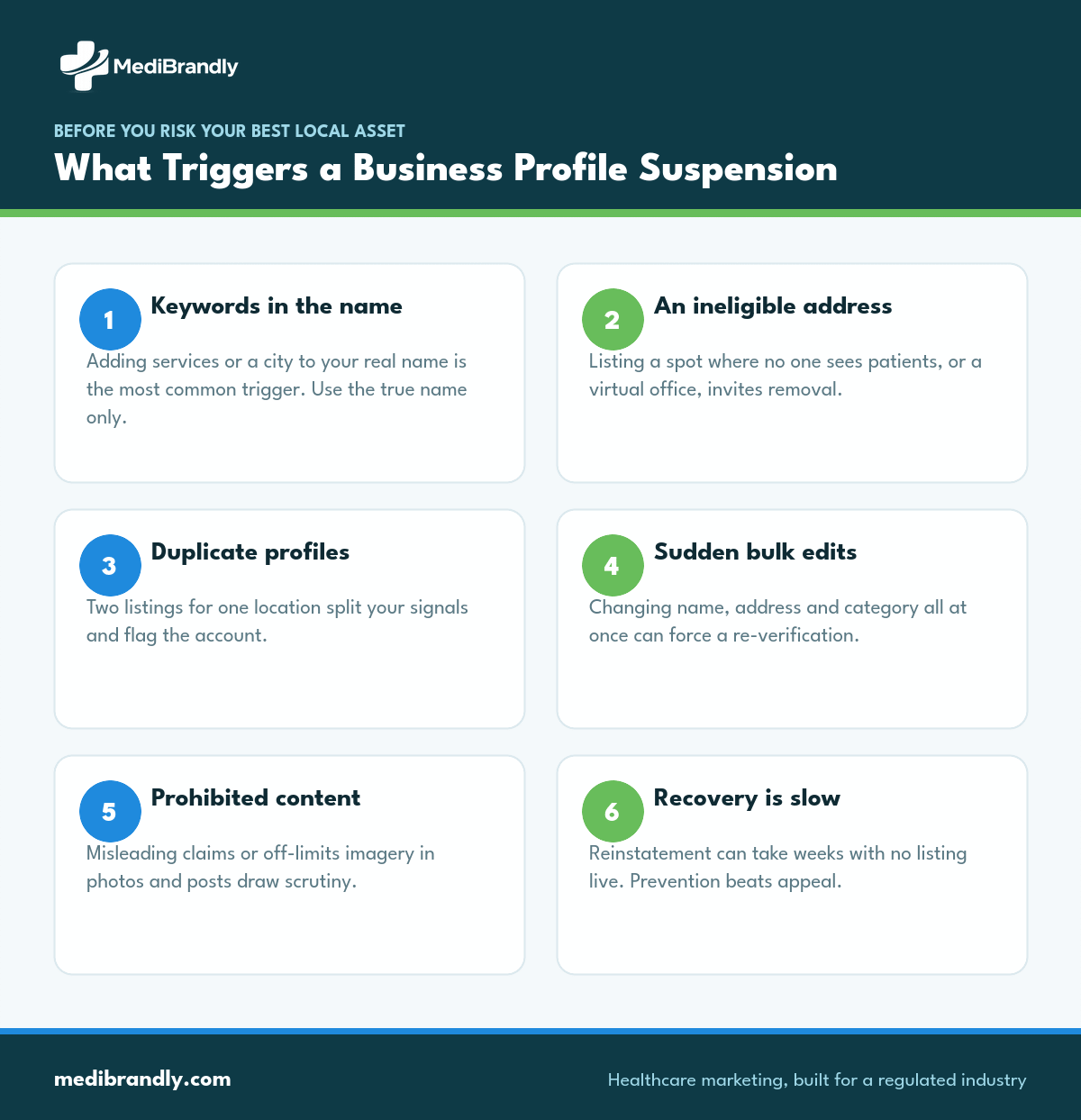
Suspensions usually come from guideline violations, not bad luck — keyword-stuffed names, fake or ineligible addresses, or prohibited content are the common triggers. A suspension can pull you out of local results entirely while you appeal, so prevention is far cheaper than recovery.
Stay clear of the tripwires: use your real business name without added keywords, only list an address where you actually see patients, don’t create duplicate profiles for the same location, and keep content professional and accurate. When in doubt, Google’s Business Profile Help documents what’s allowed. Following the rules isn’t just compliance — a stable listing is worth more than any short-term trick that risks the whole asset.
How Does the Profile Connect to Bookings?
The profile earns its keep when a search turns into a call, a direction request, or a booked appointment — so the booking link, phone number and messaging must all work and route somewhere that gets answered. A perfectly optimized profile still fails if calls go to voicemail.
Close the loop with call tracking and follow-up that stay HIPAA-safe, so you can see which searches produced patients and make sure none slip through. That connection between profile and booked visit is what our healthcare SEO services are built to measure.
No time to maintain the profile every week? We run Google Business Profiles for practices end to end — optimization, posts, review responses and suspension monitoring — so it stays a ranking asset. Book a free consultation →
Frequently Asked Questions
How do I optimize my Google Business Profile for a medical practice?
Claim and verify it, set the correct primary category, complete every field, list services and providers, add real photos, enable booking or messaging, and keep it active with posts and review responses. Completeness plus ongoing activity is what ranks.
What is the most important field in a Google Business Profile?
The primary category. It tells Google what you do and which searches you should appear in, and it carries more ranking weight than any other single field. Choose the one that matches your core service exactly.
How often should I post to my Google Business Profile?
A sustainable, consistent cadence — roughly every week or two — signals an active practice. Consistency matters more than volume; regular small updates beat occasional bursts followed by long silences.
Why did my Google Business Profile get suspended?
Most suspensions stem from guideline violations: keywords added to the business name, an ineligible or non-staffed address, duplicate profiles, or prohibited content. Correct the underlying issue before appealing, or the suspension is likely to stand.
Can I answer my own questions in the Q&A section?
Yes. Google allows businesses to post and answer their own frequently-asked questions, and it’s a smart way to address common concerns like insurance, parking and the new-patient process before a patient has to ask.
Should each location have its own Google Business Profile?
Yes. Every physical location where you see patients needs its own verified profile with that location’s details. One profile cannot rank multiple locations, and combining them weakens each one’s local signals.
Turn Your Profile Into a Patient Pipeline
A fully optimized Google Business Profile is the highest-return hour you can spend on local marketing — and keeping it that way is an ongoing job most practices don’t have time for.
We’ll audit your profile against every guideline, fix what’s incomplete or risky, and keep it active so it stays visible and keeps producing calls and bookings.
Request your free profile audit → or email info@medibrandly.com. You can also explore healthcare SEO services or read more about our team.